Skip to content

Queue management platform

The queue, handled end to end

From the ticket kiosk to the calling board, from the agent desk to the admin console and the traffic reports: KZQueue covers the whole chain in one product.

  • Native real-time (SSE)
  • Bilingual FR / EN
  • Multi-organisation
  • Docker deployment
  • SaaS or self-hosted
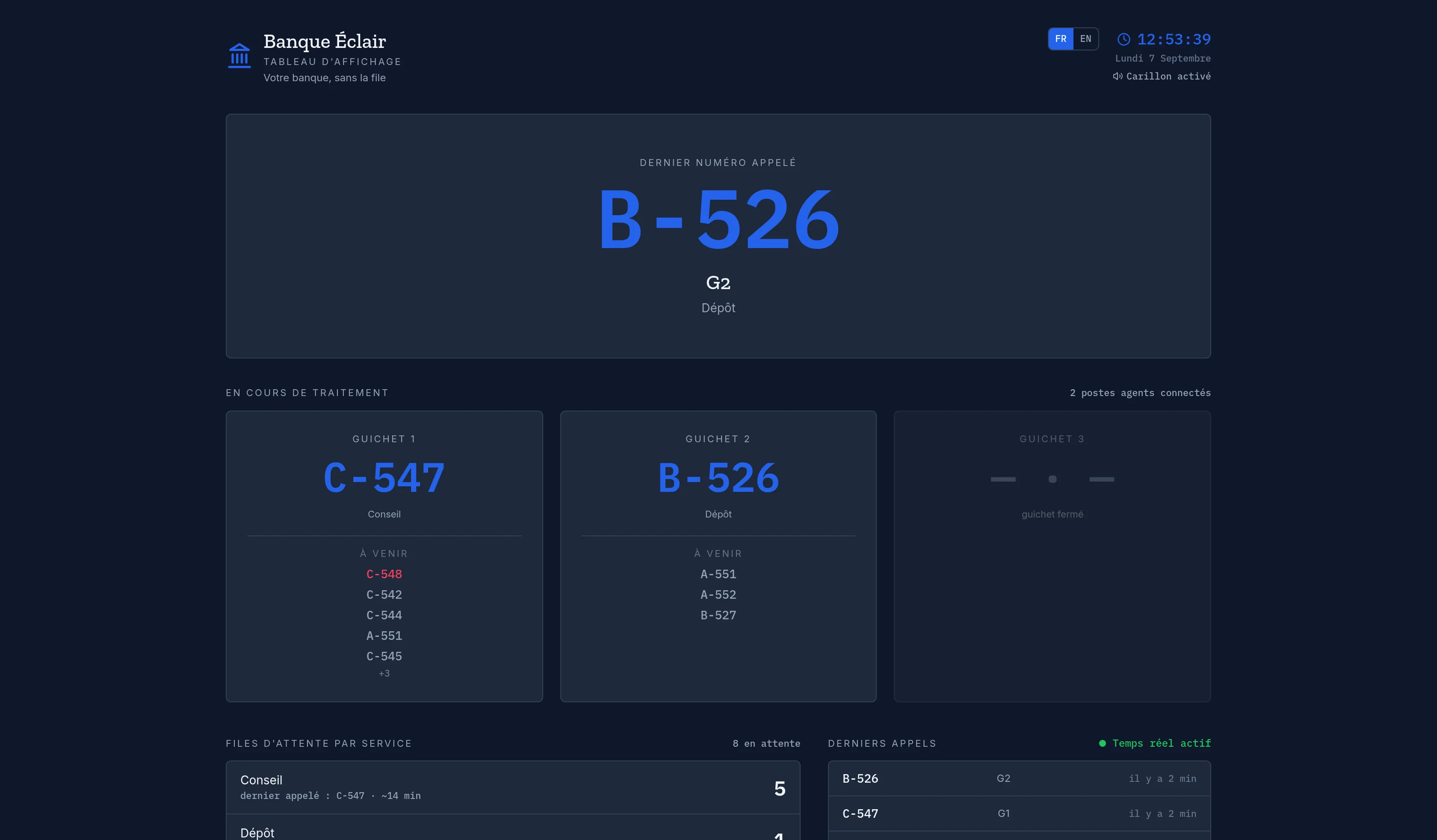
KZQueue display board: last called number B-526 at counter 2, current number per counter, per-service queues and live agent presence.

Managing a queue is more than showing a number

You also have to hand out tickets, give agents the right tools to call and serve, let each organisation configure its own services and branding, secure the public screens, and measure traffic to make decisions. KZQueue handles the whole chain in a single product.

Four modules, one product

Every module runs in real time and deploys together through Docker Compose.

Ticket kiosk

The customer picks a service on a touch screen and leaves with a numbered ticket, without queuing at the counter.

  • Unique number prefixed by service (e.g. C-562)
  • Estimated wait time and position in the queue
  • Configurable “priority access” checkbox
  • Bilingual interface, default language set per organisation
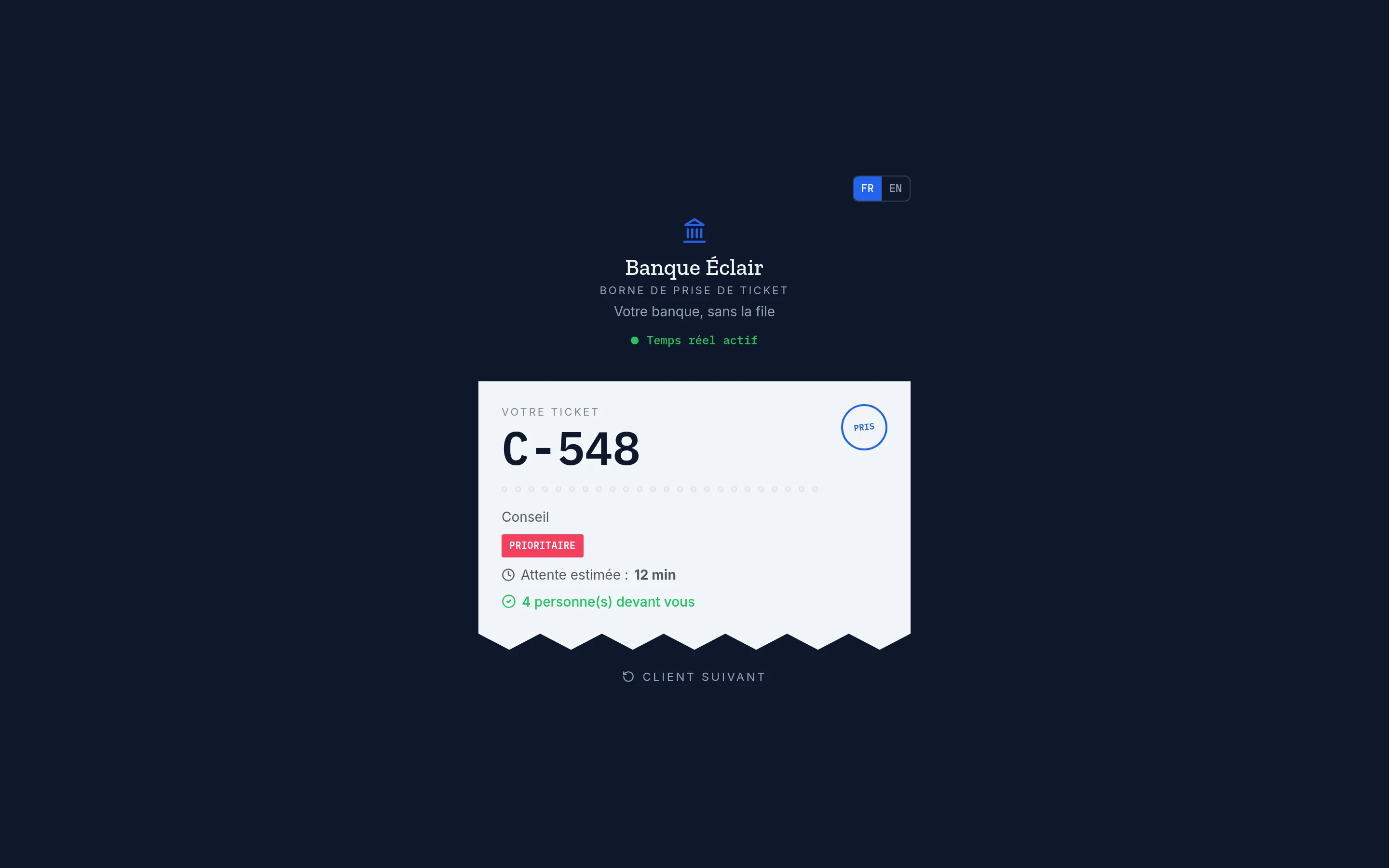
KZQueue kiosk: ticket C-562 for the Advice service, estimated wait 15 minutes, 2 people ahead of you.

Display board

A large screen for the waiting room: the last called number, the counters in progress and what comes next, updated instantly.

  • Last called number and counter, very large
  • Current and upcoming number per counter, queues per service
  • Agent presence shown live
  • Chime and animation on every call — SSE stream, no refresh
KZQueue display board: B-526 at counter 2, counters 1 and 2 in progress, per-service queues, 2 agent desks connected, recent calls.

Agent desk

The workspace at the counter: call the next customer, serve, handle no-shows and breaks, with a lock that prevents two agents from holding the same counter.

  • Current customer and elapsed time
  • “Call next”, “Finish”, “Customer absent”, “Pause”
  • View of the counter queue and average handling time
  • One agent per counter at a time
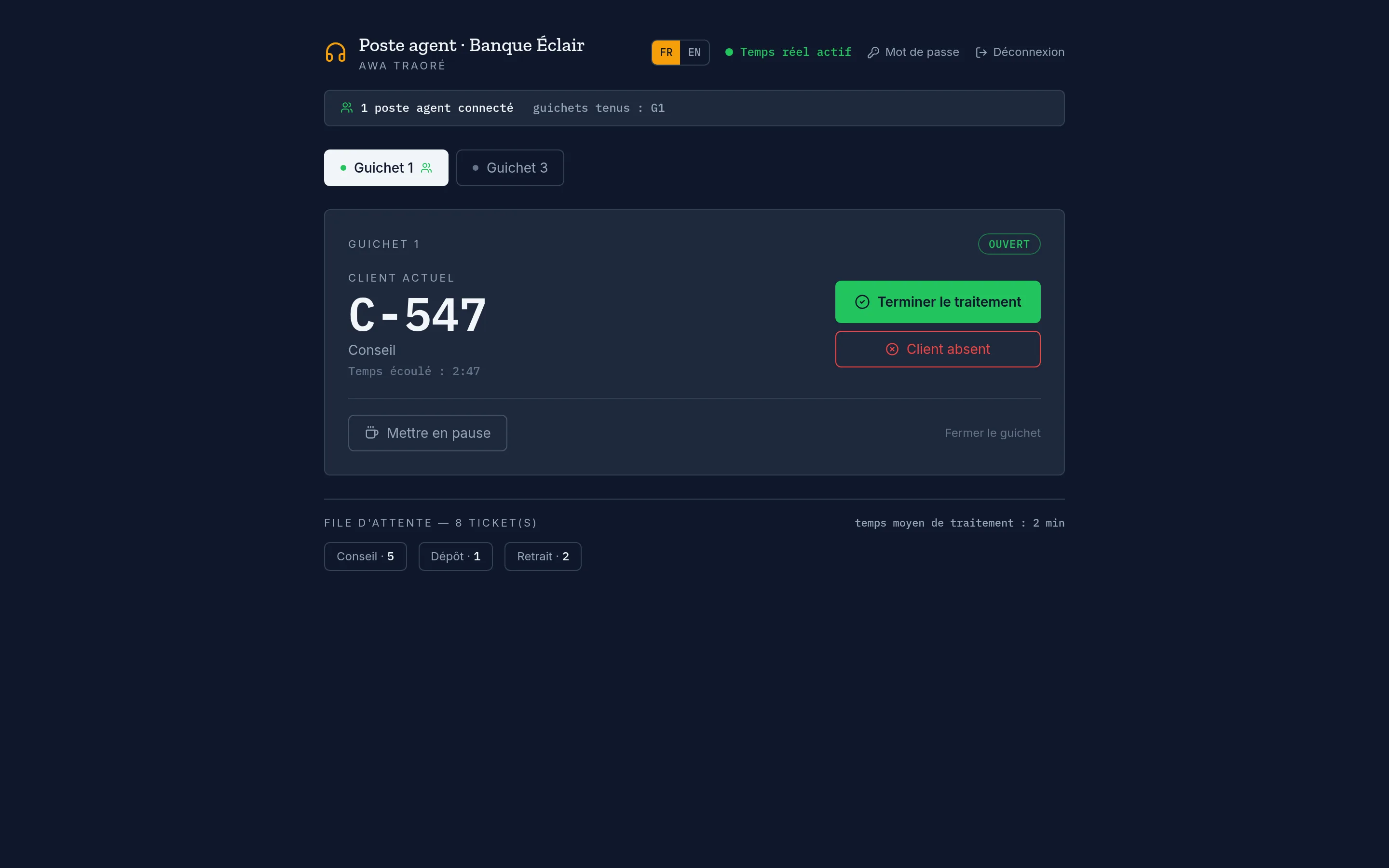
KZQueue agent desk: current customer C-547 (Advice), elapsed time 2:47, Finish / Customer absent / Pause buttons, queue of 8 tickets.

Admin console

Two levels: the organisation manages its services, counters and agents; the platform manages client organisations and their plans.

  • Services (code, number prefix, status), counters and assigned agents
  • Branding: logo, colour, tagline, default language
  • Timestamped audit log for every change
  • Traffic and performance reports
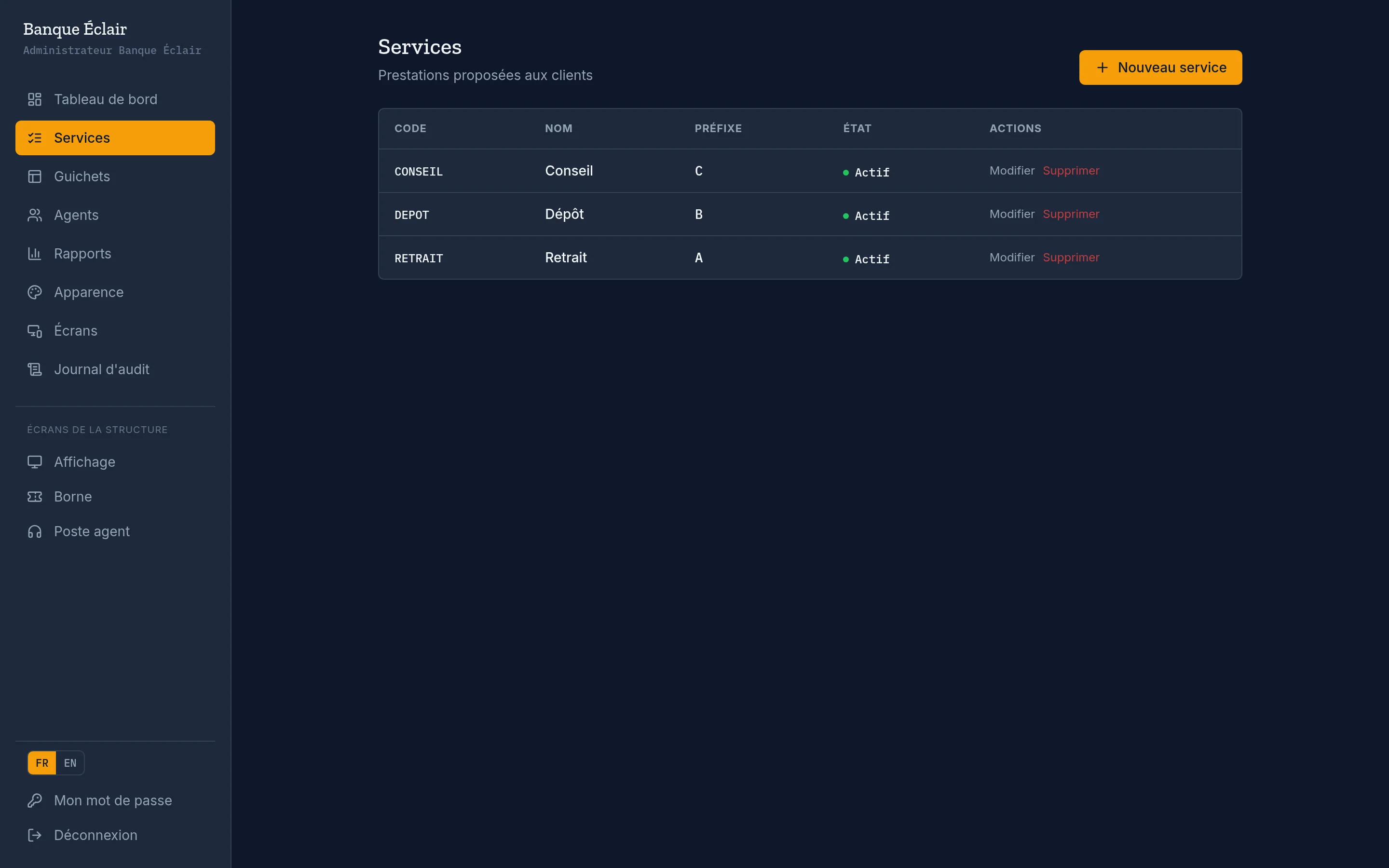
KZQueue admin console: list of an organisation’s services with code, name, number prefix and status.

How it works

  1. 01

    The customer takes a ticket

    At the kiosk they pick a service and get a number with a wait estimate.

  2. 02

    The agent calls the next

    From their desk, the agent calls the next customer in the queue in one tap.

  3. 03

    The board and chime announce it

    The number and counter appear large and are announced by sound, in real time.

  4. 04

    The administrator steers

    Reports show traffic by time slot and service; you adjust counters and hours.

What a complete platform covers

Twelve things to check before choosing a queue management tool. KZQueue covers them all — compare with what you use today.

  • Self-service ticketing with wait estimate

    Touch kiosk, number prefixed by service, position in the queue.

    Included in KZQueue

  • Priority queues

    Dedicated checkbox at the kiosk, customisable label (accessibility, urgency…).

    Included in KZQueue

  • Full agent desk

    Call, finish, no-show, pause, and a “one agent per counter” lock.

    Included in KZQueue

  • Real-time display board with no polling

    Server-Sent Events stream and a chime on every call.

    Included in KZQueue

  • Live agent presence

    The board shows how many desks are open and which ones.

    Included in KZQueue

  • Multi-organisation / multi-branch

    One instance, strictly isolated data, public screens per organisation.

    Included in KZQueue

  • Per-organisation branding

    Uploaded logo (a file, not a link), accent colour, tagline, default language, priority-queue label, time zone.

    Included in KZQueue

  • Statistics and reports

    Tickets issued, customers served, no-show rate, average wait and handling, peak slot, volume over time, day × hour heatmap, breakdown by service and counter.

    Included in KZQueue

  • Audit log

    Timestamped history of every configuration change.

    Included in KZQueue

  • Secured public screens

    Kiosk and display lockable with an access key and a pairing QR code.

    Included in KZQueue

  • Agent account management

    Email invitation, link retrievable at any time, bulk invite.

    Included in KZQueue

  • Robust under load

    Ticket assignment protected against double calls, atomic per-service numbering.

    Included in KZQueue

Sectors and use cases

Banking & financial services

Several branches on one instance, separate queues (withdrawal, deposit, advice) and per-branch traffic reports.

Healthcare & clinics

Priority queues (accessibility, urgency), language matched to the patient, discreet waiting-room screen.

Public administration

Counters per procedure, wait estimate on display, peak-hour measurement to size staffing.

Food service & retail

Order number announced by sound and on screen, English interface by default if needed.

Telecoms & operators

High volume, multiple points of sale, per-counter average handling time.

Deployment and operations

SaaS or on your own servers — same product, same stack, one command.

SaaS

Hosted by Karoza, immediate start, free trial period configurable per organisation from the console.

Self-hosted

The whole stack on your own server. Signed licence verified fully offline: no internet connection required, no data sent to the vendor.

Single stack

Go (Fiber) API + PostgreSQL + React front served by Nginx, all through Docker Compose.

Optional observability

Loki / Promtail / Grafana log stack behind a Docker profile, without weighing down the base install.

Email

Agent invitations and password resets sent over SMTP in production.

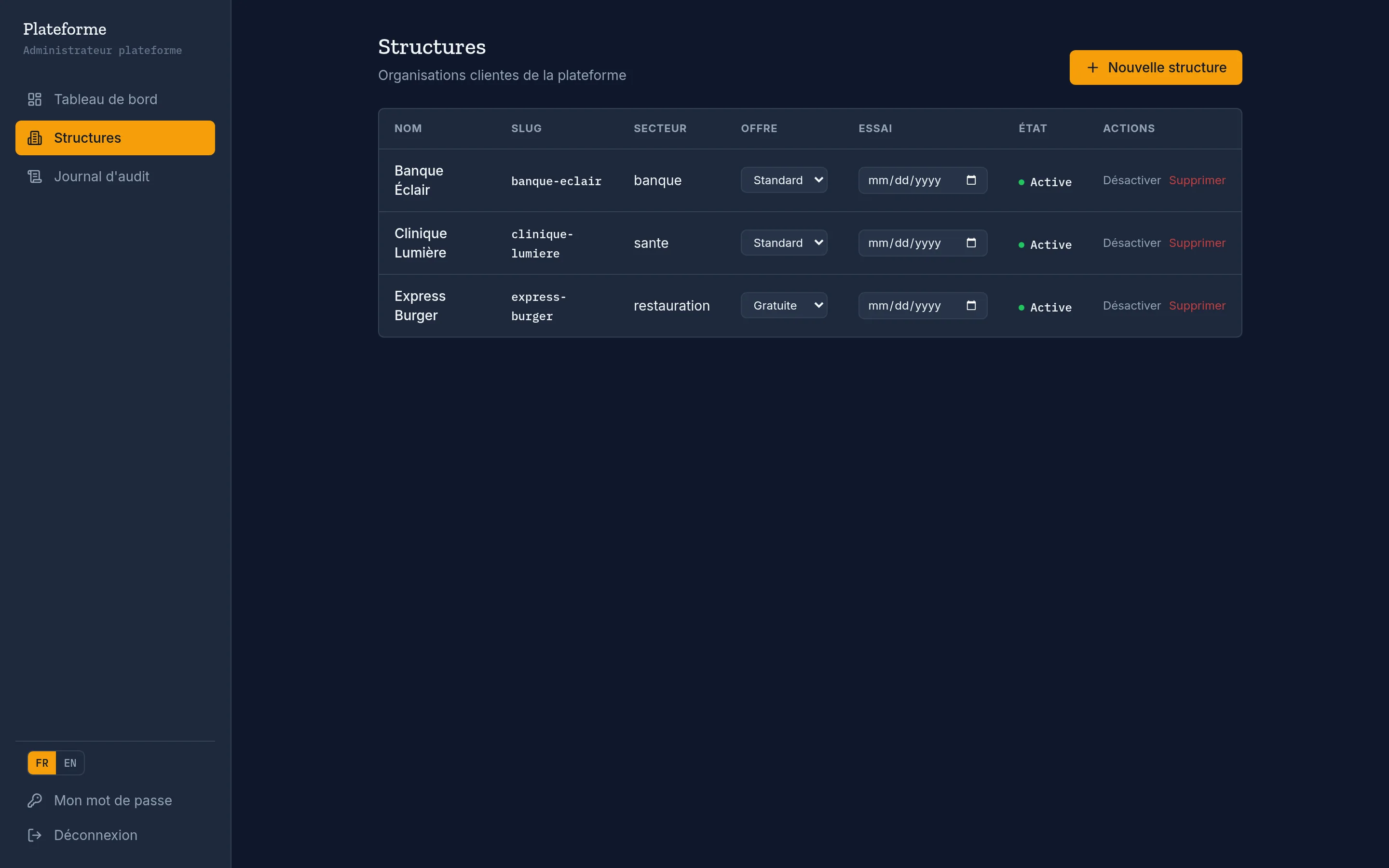
Console plateforme KZQueue : liste des structures clientes avec leur offre, leur date de fin d’essai et leur état.

Plans

Three tiers, aligned with the product plans. Limits are soft: checked on creation, no data ever deleted on downgrade.

Free

To get started on one site

On request

  • Up to 3 services
  • Up to 2 counters
  • Up to 3 agents
  • Display, kiosk and agent desk
  • Basic reports
Request a demo

Standard

For an active organisation

On request

  • Up to 12 services
  • Up to 8 counters
  • Up to 15 agents
  • Advanced reports (heatmap, per counter)
  • Screen locking, bulk invites
Request a demo

Premium

For a network or self-hosting

On request

  • Unlimited services, counters and agents
  • Multi-organisation
  • Self-hosting under licence
  • Observability (Grafana / Loki)
  • Deployment support
Request a demo

Free trial available on the SaaS plan.

Frequently asked questions

Do we need an internet connection?

Self-hosted: no. The application and the licence check run entirely on your network. SaaS: yes, since the instance is hosted by Karoza.

Can we host it ourselves?

Yes. You get the full stack and run it with Docker Compose using a signed licence we provide. The licence is verified offline (signature + expiry); nothing is sent to the vendor.

How many counters, services and agents?

From 3 / 2 / 3 on the Free plan to unlimited on Premium. Limits are checked on creation only; changing plan never deletes data.

Is it compatible with our ticket printers?

The kiosk shows the assigned number and can drive a printer via the browser or a network printer. Let’s look at your hardware during the demo.

Does it handle several branches or sites?

Yes, natively. One instance hosts several organisations, each with its own services, counters, agents, branding and public screens (reached through a dedicated address). Data is strictly isolated.

Which languages are available?

French and English. The default language is set per organisation, and the visitor can switch it on the kiosk or display.

How are the in-room screens secured?

An organisation’s kiosk and display can be locked behind an access key. Each device is paired by scanning a QR code or opening a ready-made URL; the key is then remembered.

What happens if two counters call at the same time?

The next ticket is assigned inside a locking transaction (FOR UPDATE SKIP LOCKED): two counters always get two distinct customers, never the same one.

Are the statistics exportable?

The reports console gives tickets issued, customers served, no-show rate, wait and handling times, the peak slot, volume over time, a day × hour heatmap and a breakdown by service and counter, over the date range you choose.

See KZQueue on your queues

A 30-minute demo is enough to walk through the kiosk, the board, the agent desk and the console with your own services.